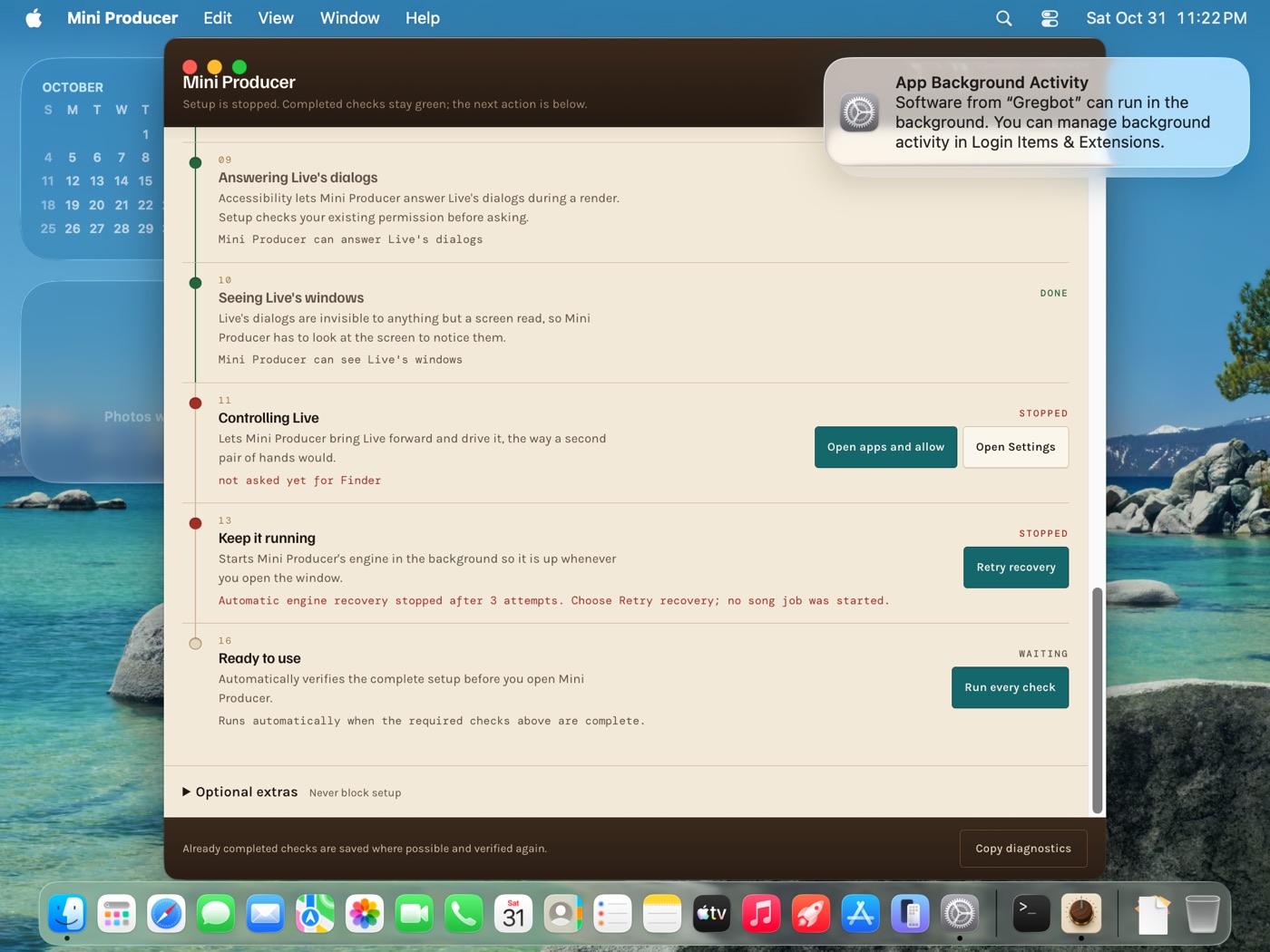
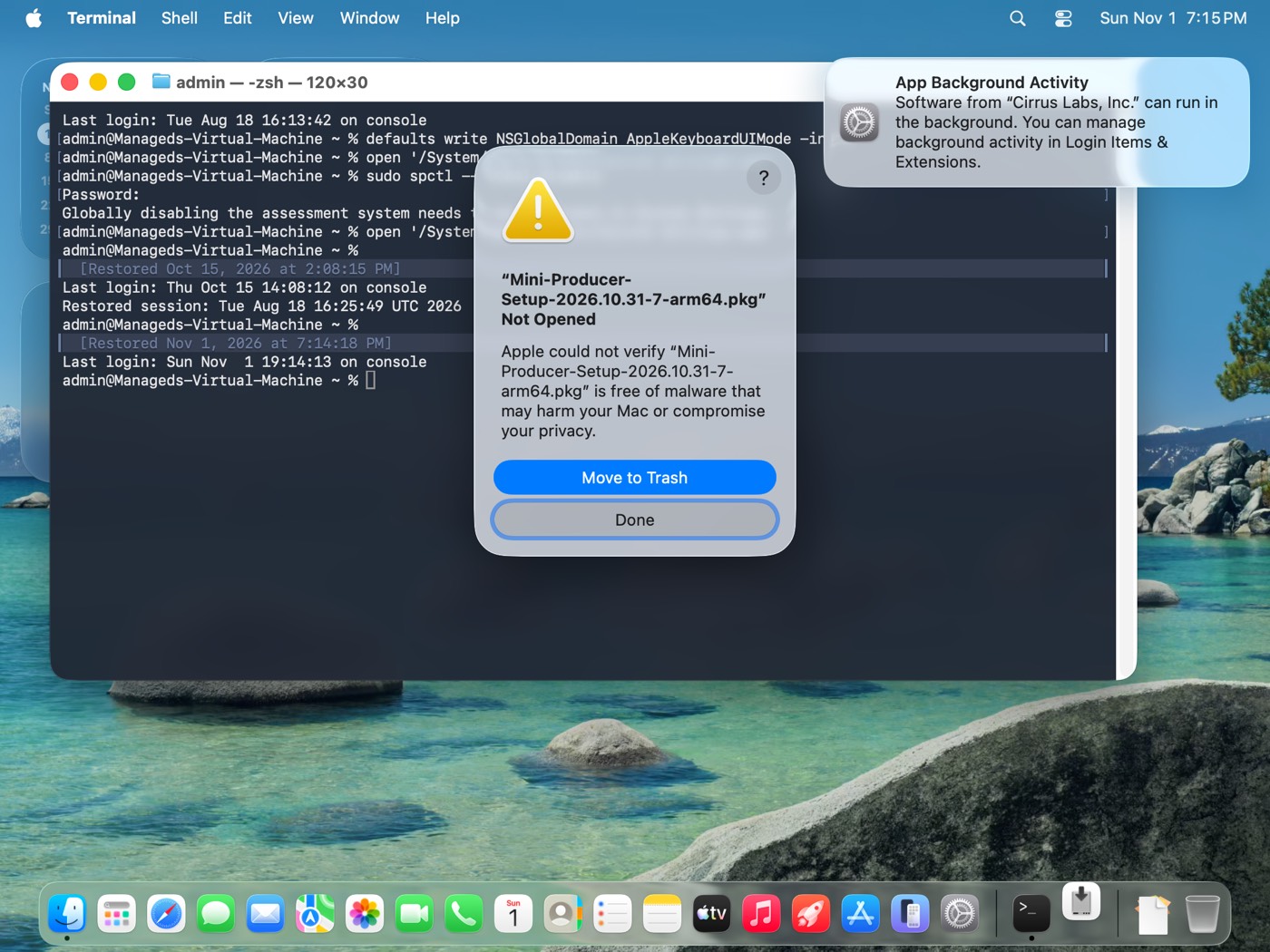
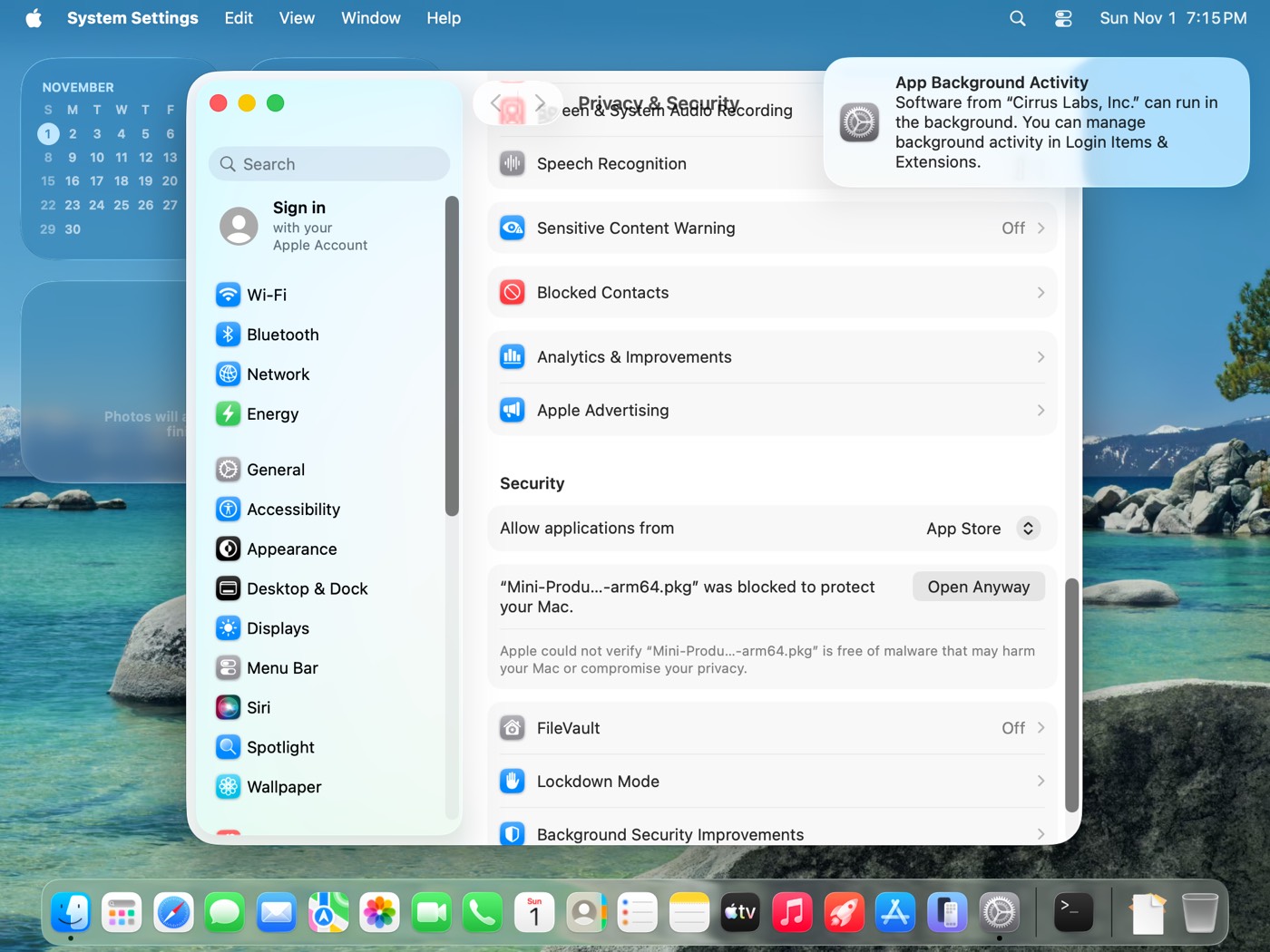
👣 What happens next
Every screen below is the real one, in order, from a clean test Mac.
STEP 1
Paste the line and press Return
- It checks your Mac, then downloads 1.2 GB.
- Type your Mac password when it asks, then Return.
- It installs in about 2 minutes and opens Mini Producer.
If the download stops, run the same line again. It picks up where it left off.
==> Checking this Mac
Ableton Live 12 is not installed yet. Mini Producer installs anyway and its setup links you to Ableton.
macOS 26.6.2, arm64. OK.

==> Downloading Mini Producer (1.2 GB)
######################################################################## 100.0%

==> Checking the download
Checksum matches.

==> Installing
Type your Mac login password and press Return. The letters stay hidden while you type.
installer: Package name is Mini Producer
installer: Installing at base path /
installer: The install was successful.

==> Opening Mini Producer
Installed. Mini Producer setup is opening. Follow it on screen.
STEP 2
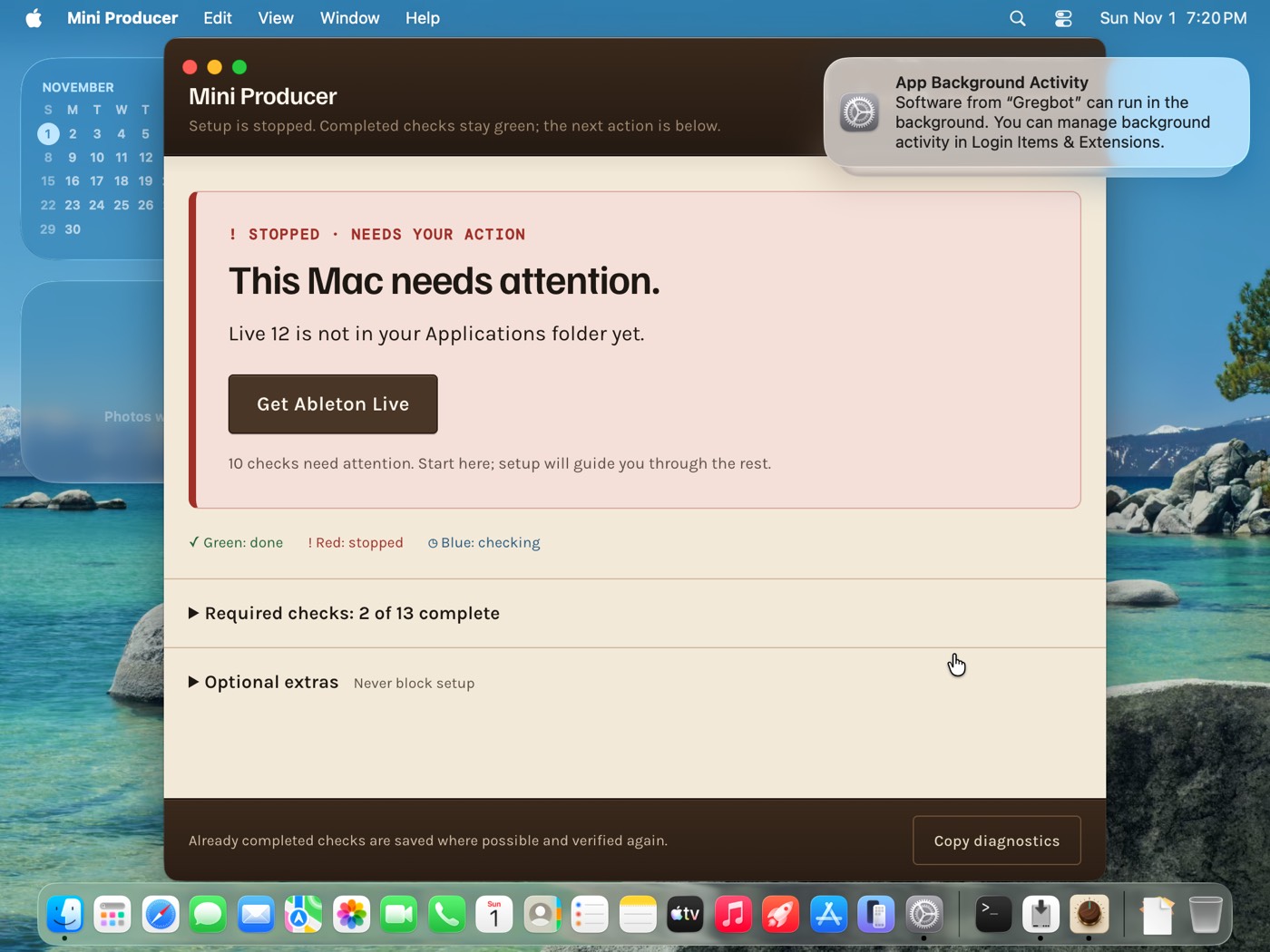
Setup opens by itself
- A red box says This Mac needs attention. That is normal on the first run.
- No Live 12 yet? Click Get Ableton Live, install it, come back.
- A note says software from "Gregbot" can run in the background. That is Mini Producer's engine. Nothing to click.
STEP 3
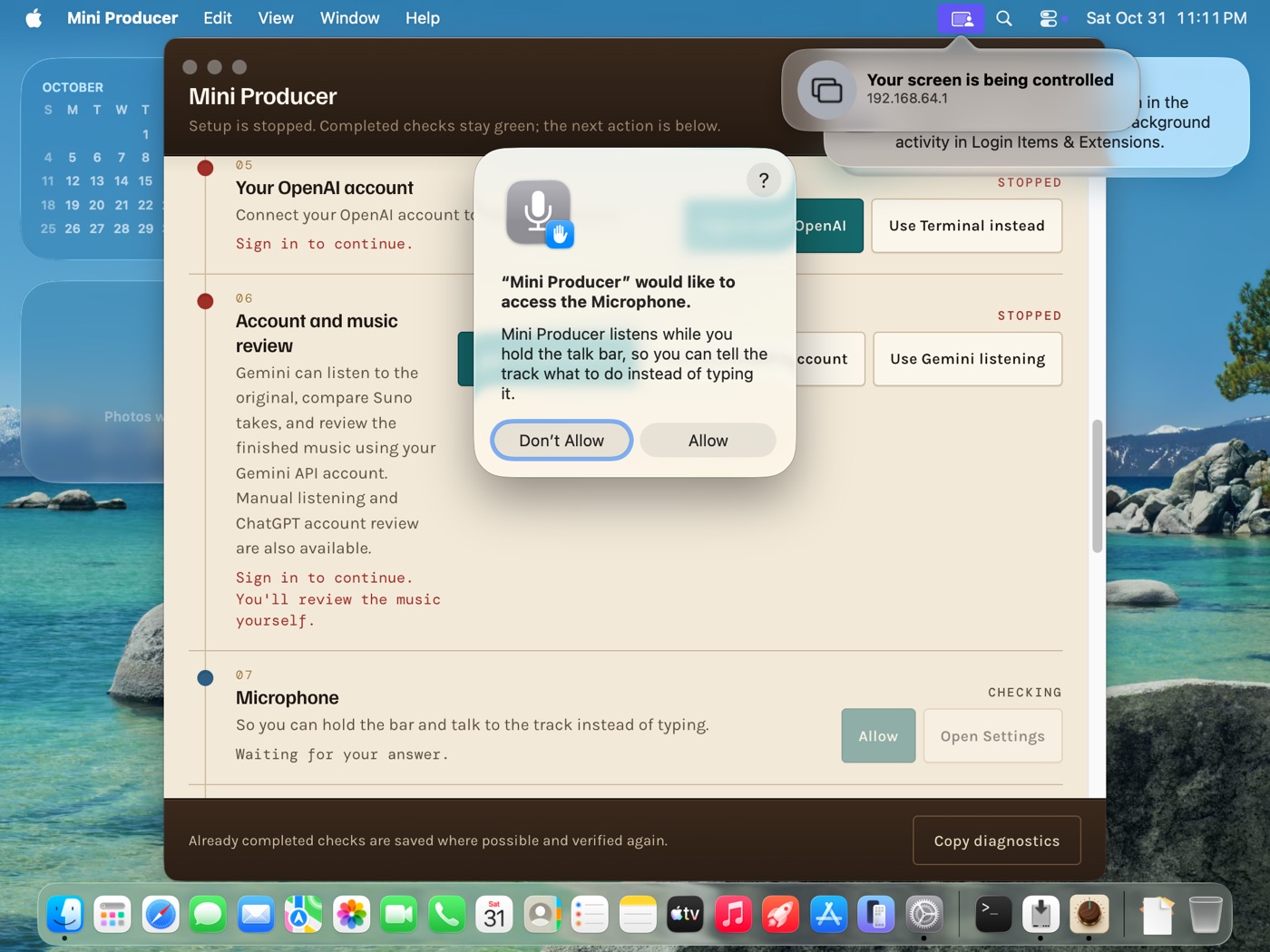
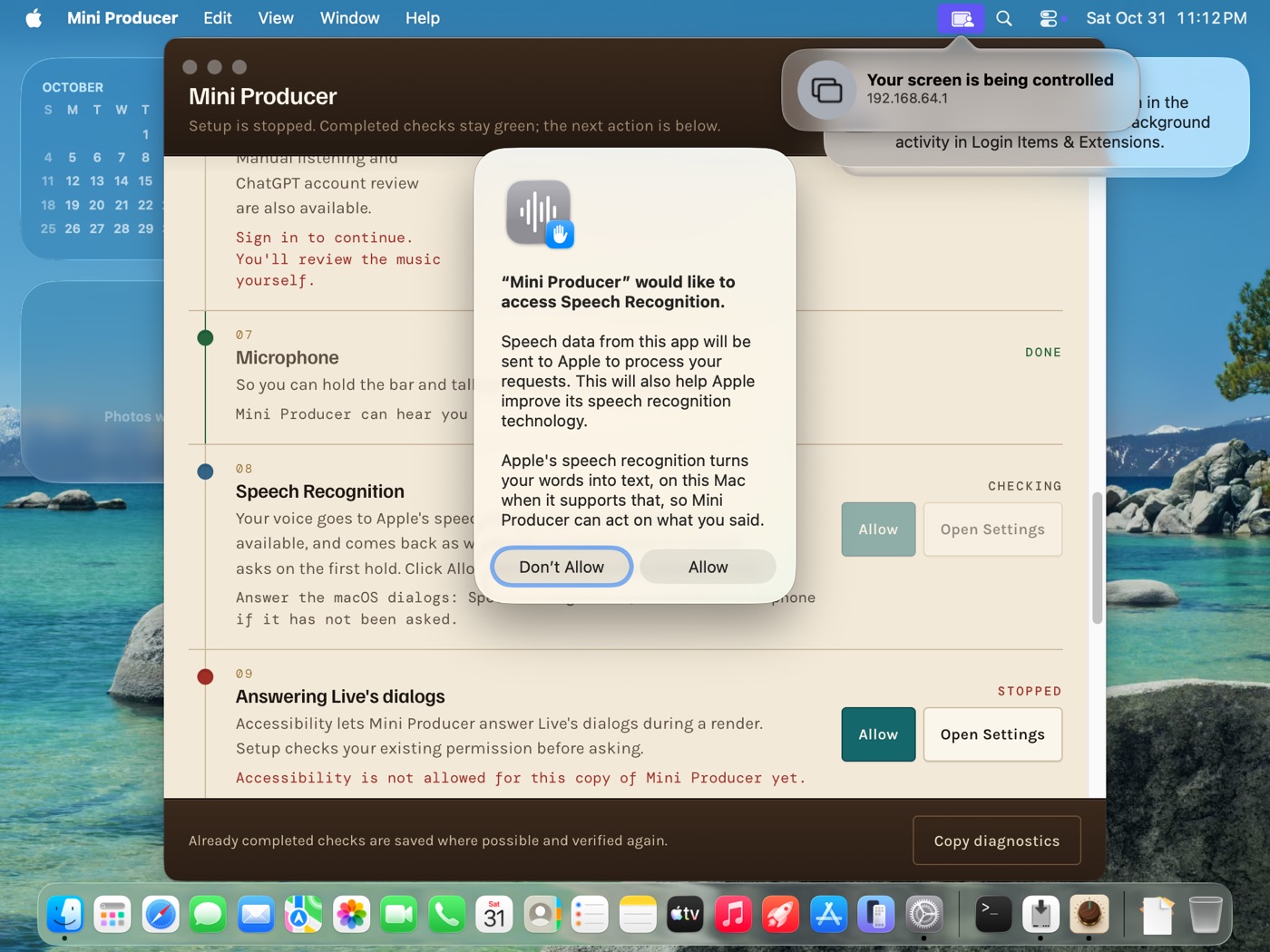
Allow the microphone and speech
- Click Allow on the Microphone prompt.
- Click Allow on the Speech Recognition prompt.
STEP 4
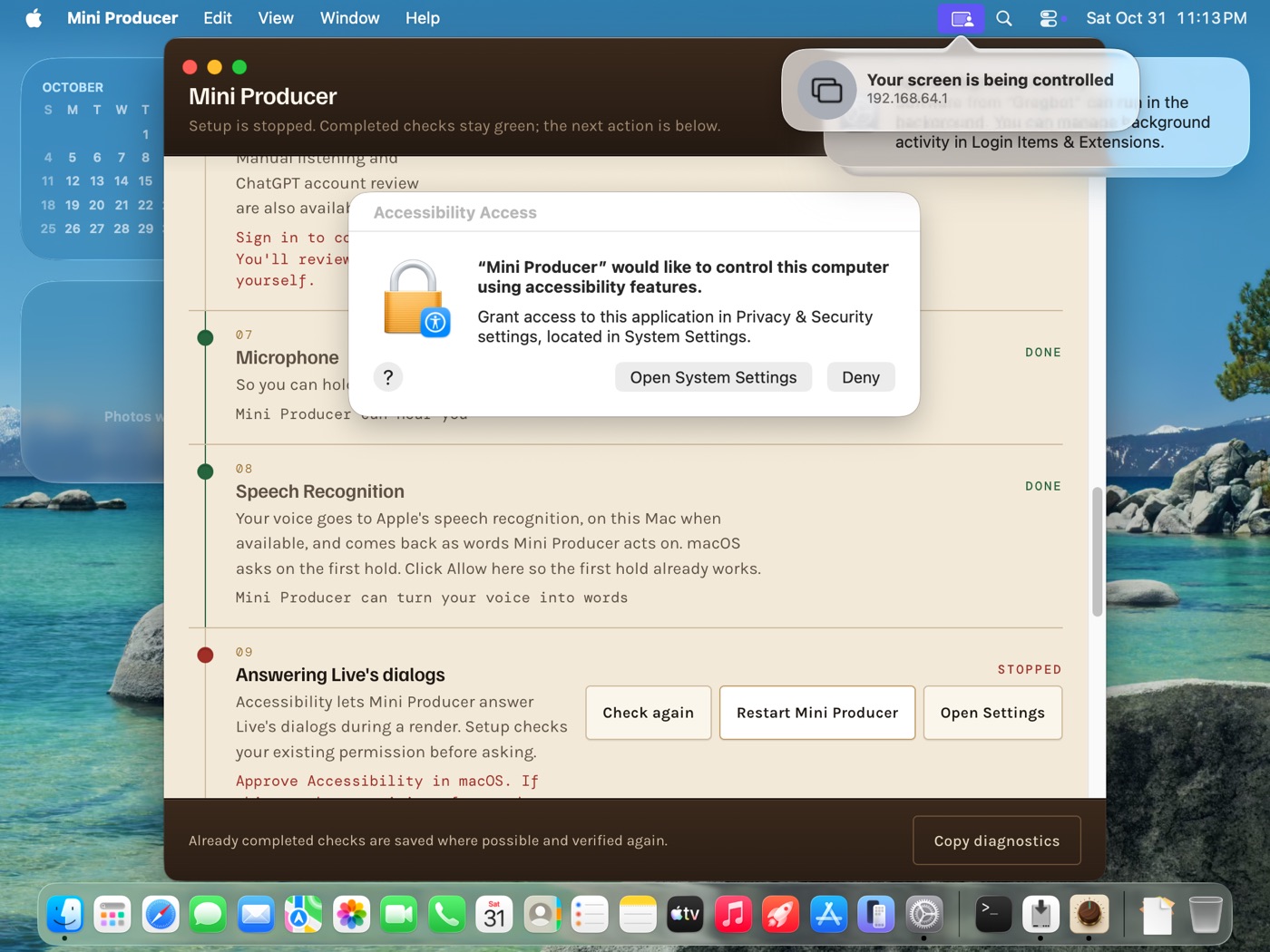
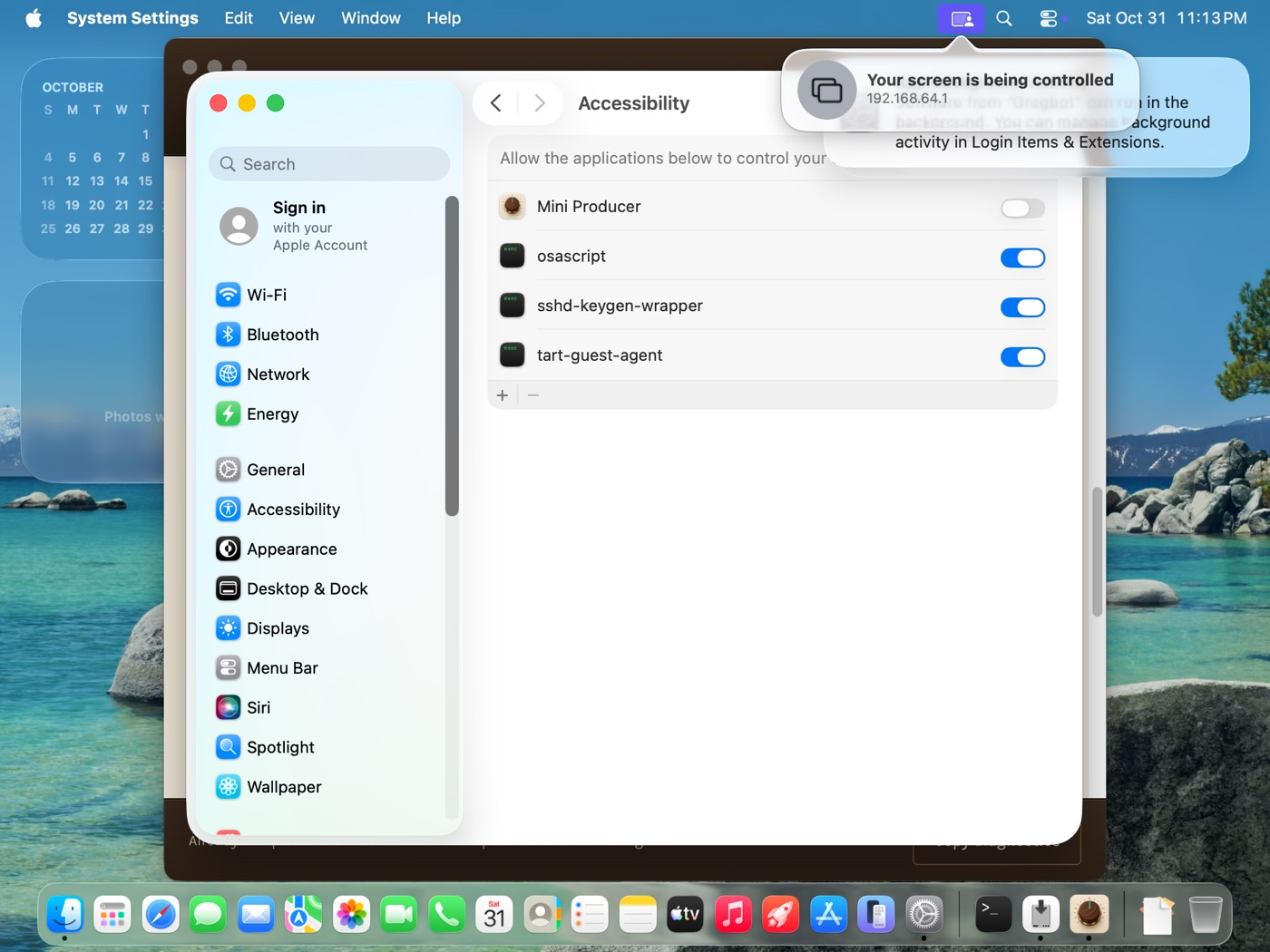
Turn on Accessibility
- Click Open System Settings on the prompt.
- Flip the switch next to Mini Producer, type your password.
- Go back to Mini Producer. The row turns green by itself.
STEP 5
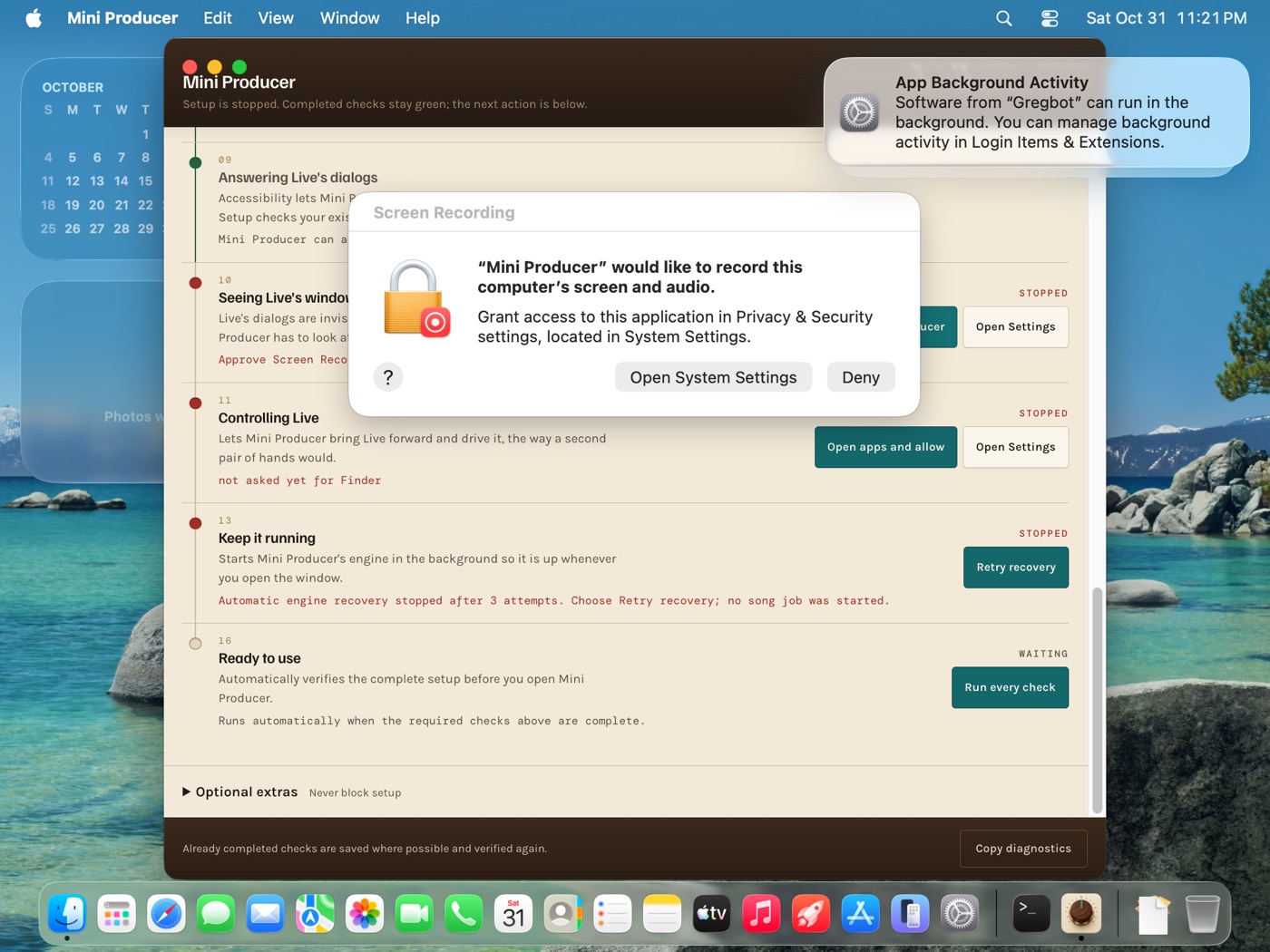
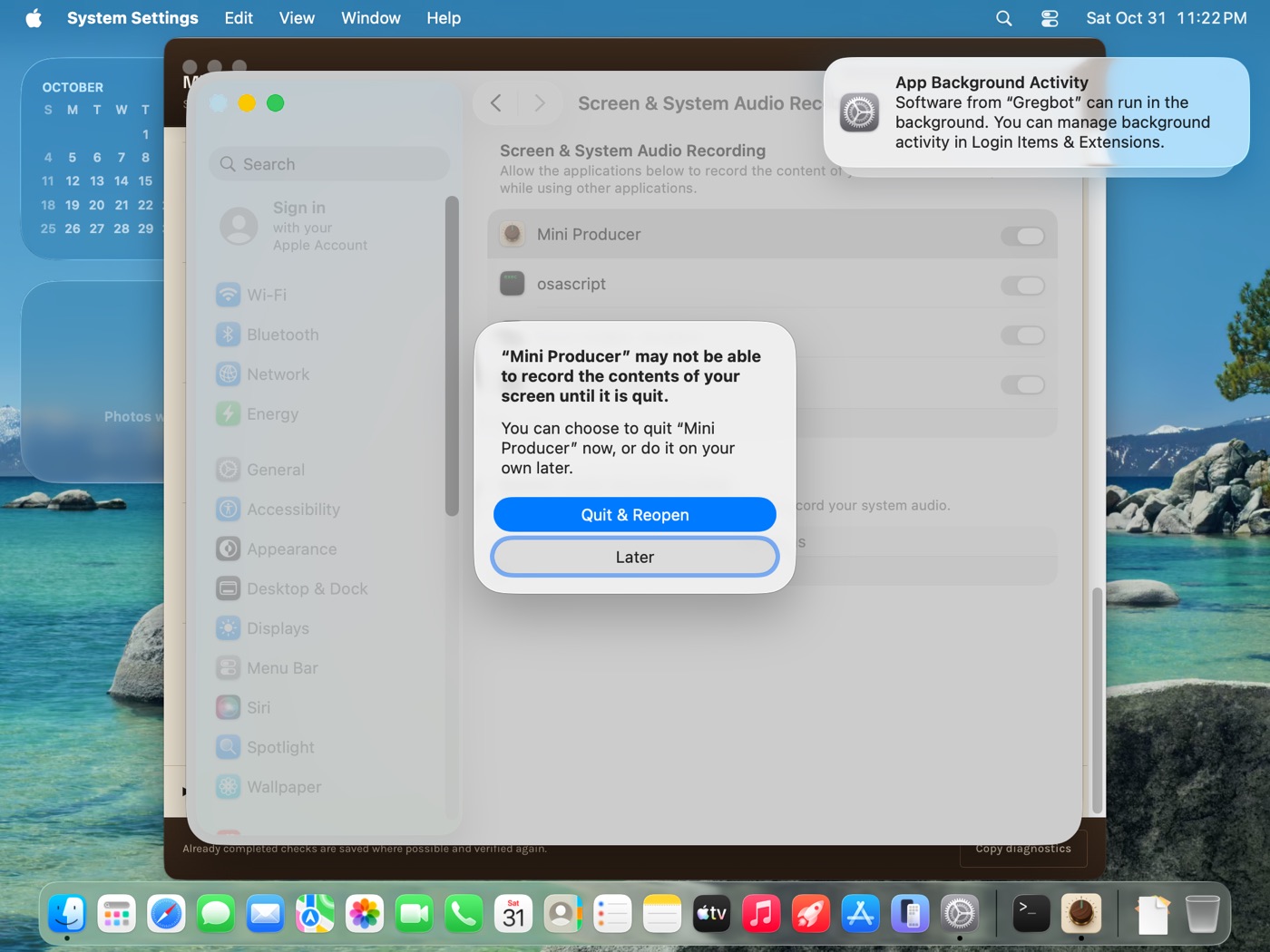
Turn on Screen Recording, then Quit & Reopen
- Click Open System Settings, flip Mini Producer on, type your password.
- macOS asks to quit the app. Click Quit & Reopen.
- Setup comes back with your green rows kept.
STEP 6
Sign in with OpenAI
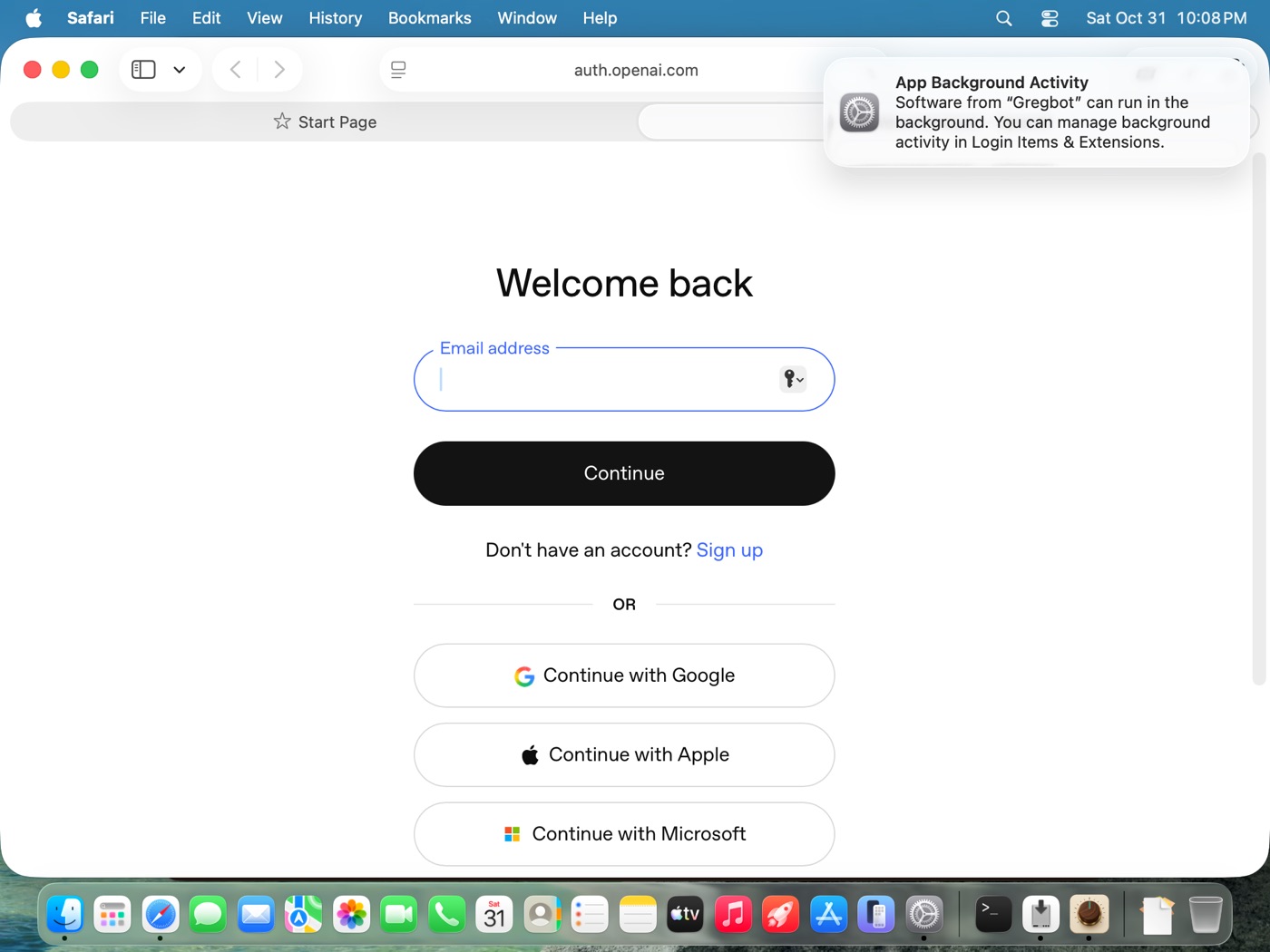
- On Your OpenAI account, click Sign in with OpenAI.
- Your browser opens the OpenAI sign-in. Use your own ChatGPT account.
- Come back to Mini Producer. The row turns green.
STEP 7
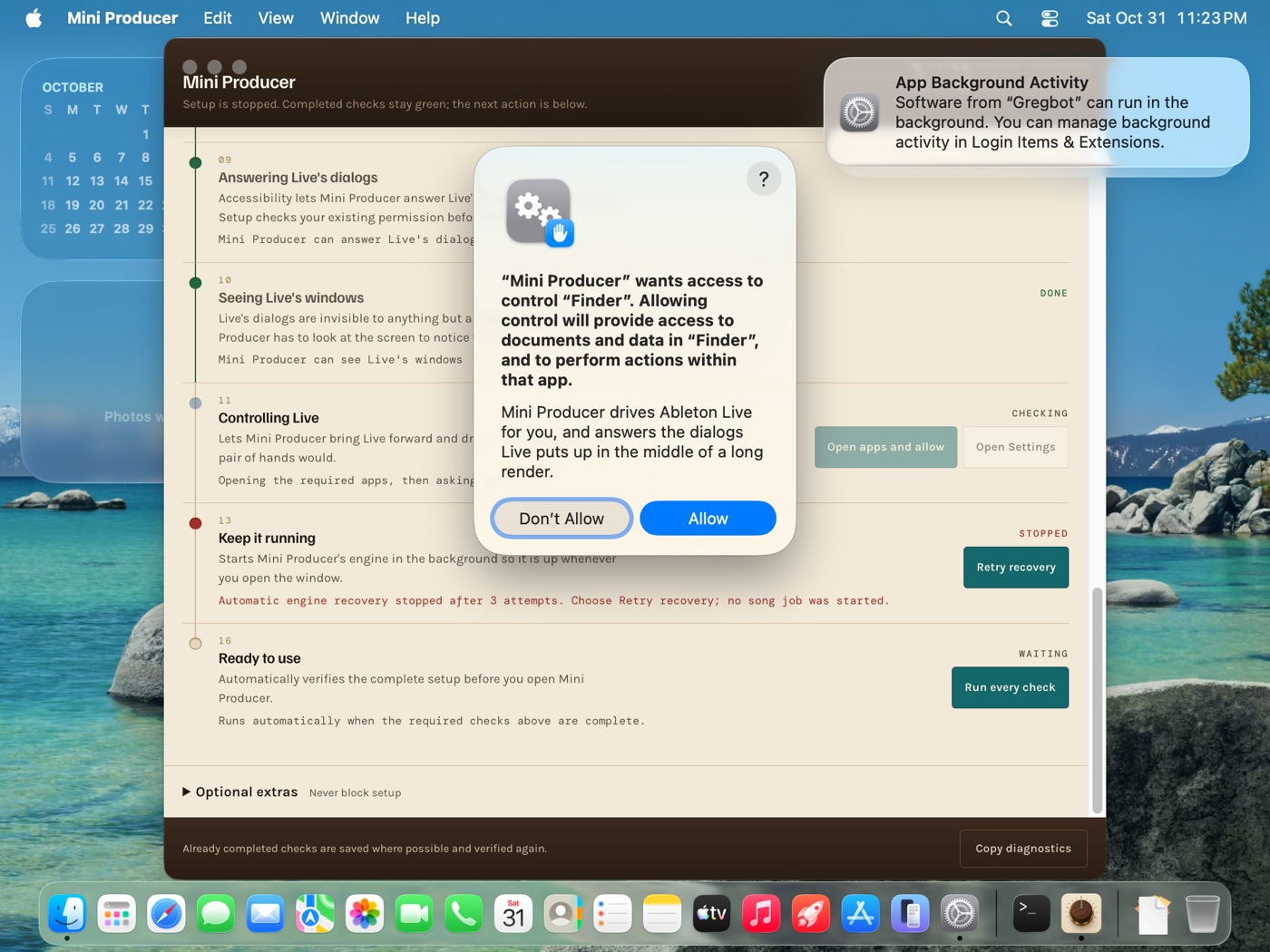
Let it control Live
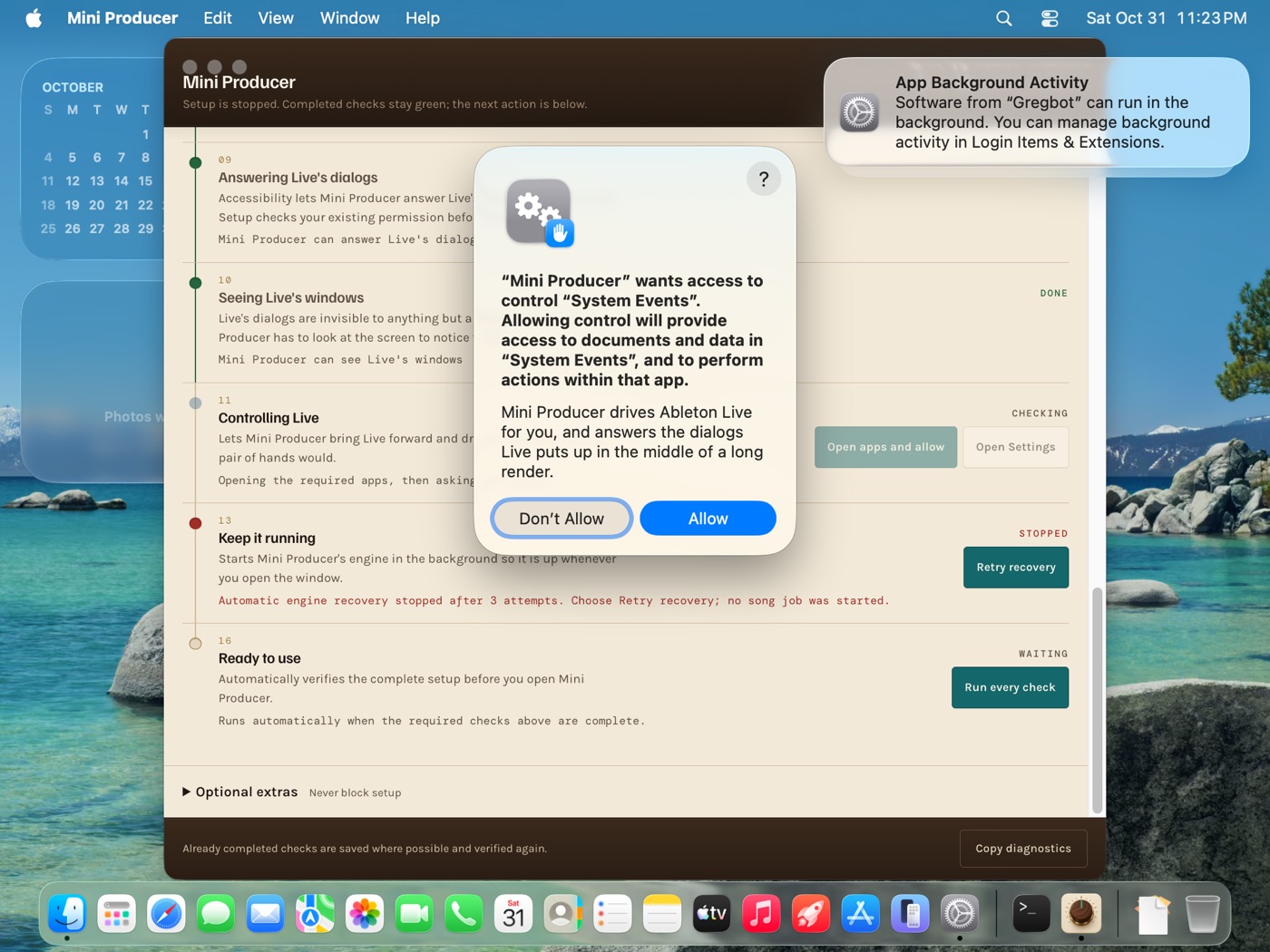
- On Controlling Live, click Open apps and allow.
- Click Allow for System Events, then Allow for Finder.
Live not installed yet? The row waits. Install Live, then click Check again.
STEP 8
Run every check, then open Live
- Click Run every check at the bottom.
- Every required row reads DONE and the red box is gone.
- Open Ableton Live 12 and start making music.